


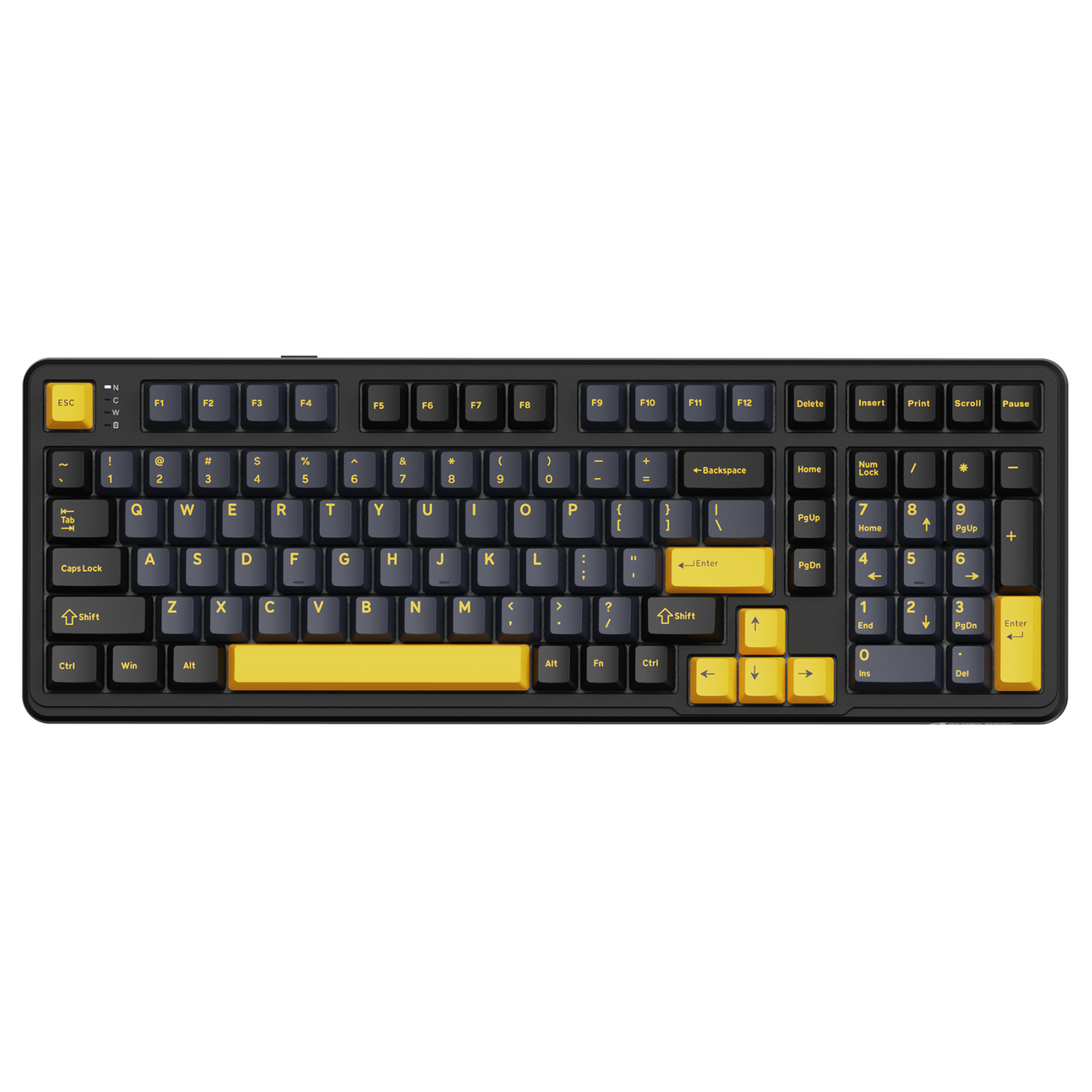
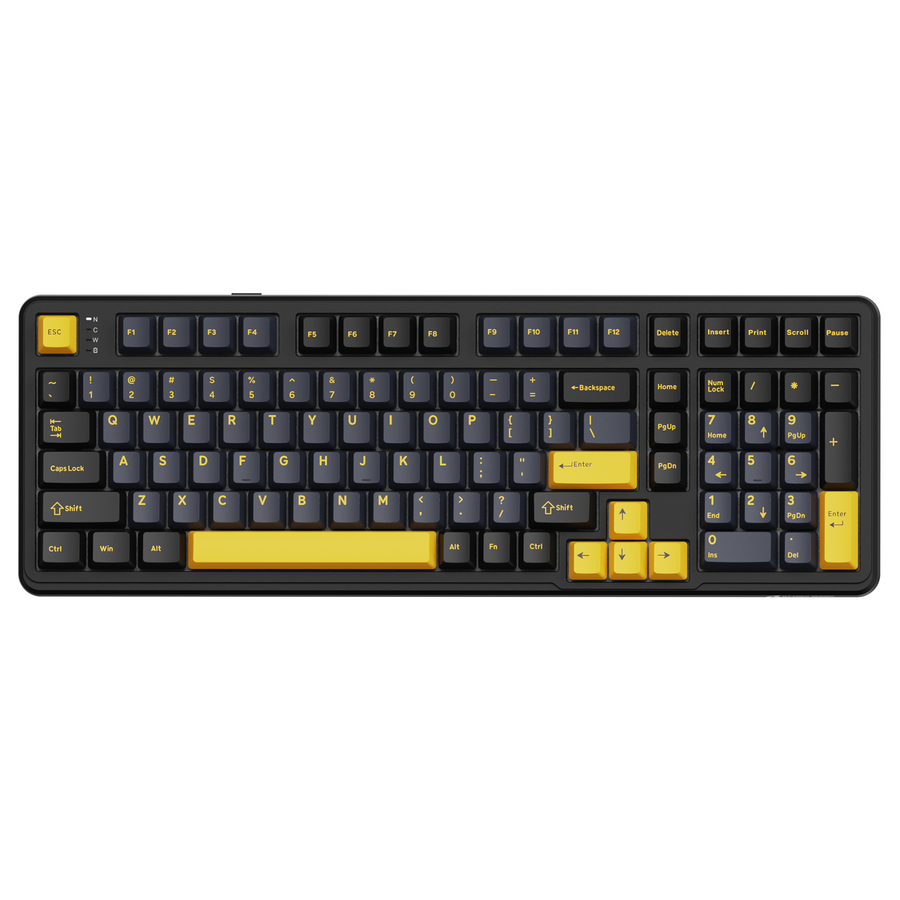
A cheap gaming keyboard is easier to choose when you set your nonnegotiables first: layout, number-pad use, gaming and typing habits, connection, and software tolerance. Choose a simpler board for straightforward operation, a mechanical keyboard for switch feel or customization, and a Hall Effect keyboard only when adjustable actuation or Rapid Trigger solves a specific input need. Then compare build details and headline specifications.

Choose a cheap gaming keyboard type that matches your use case
The right keyboard type depends on what you will do with it every day, not on the longest specification list. Lock in the layout and keys you need, then choose the simplest category that solves your actual problem.
| Keyboard type | Best fit | Main benefit | Setup tolerance | Confirm on the listing |
|---|---|---|---|---|
| Simpler board | Straightforward gaming, school, work, and minimal setup | Familiar operation with fewer decisions | Low | Exact layout, controls, and connection |
| Mechanical | Buyers who care about switch feel or customization | Choice of switch behavior and, where supported, compatible customization | Moderate | Switch type, hot-swap wording, keycaps, noise, and software |
| Hall Effect | A specific input preference or competitive FPS use case | Adjustable actuation and Rapid Trigger on supported keyboards | Higher when configuration is required | Exact controls, software, profiles, and platform support |
Choose a simpler keyboard for straightforward daily use
Choose a simpler board when you want familiar key input, minimal setup, and no need to customize switch behavior or actuation. This can be the sensible budget choice for mixed gaming, typing, studying, and general desktop use. Check the actual layout, controls, and connection instead of assuming the gaming label answers those questions. If the listing does not clearly describe a feature you need, treat it as unconfirmed.
Choose mechanical for feel and customization
Choose a mechanical keyboard when switch feel, switch selection, hot-swap support, or a customizable typing experience matters every day. Mechanical describes a category, not a guaranteed sound, comfort level, build quality, or gaming result. Verify the switch type, whether hot-swapping is supported, the keycap details, noise information, and required software before paying extra for those options. A mechanical keyboard buying guide can provide broader terminology, but the individual listing is where you should confirm its details.
Choose Hall Effect for adjustable input controls
Choose Hall Effect only when you can name the input behavior you want to change, such as adjustable actuation or Rapid Trigger for a competitive FPS routine. Hall Effect sensing can enable those controls on supported keyboards, but the technology is not a universal gaming upgrade. Adjustable actuation and Rapid Trigger controls must be confirmed for the specific keyboard, along with its configurator, operating-system support, profile behavior, and relevant game or platform requirements.
If you do not intend to configure advanced input controls, a simpler or mechanical board may fit your routine better. Write down your layout, number-pad needs, gaming and typing habits, preferred connection, and software tolerance before comparing listings.
Select the layout by the keys you actually use
Choose the layout before headline specifications because it determines which keys are immediately available and how much desk space the keyboard occupies. Full-size is the practical choice when a dedicated number pad is nonnegotiable; TKL suits buyers who want dedicated navigation and function keys without a number pad; compact works when desk or mouse space matters more than immediate access to omitted keys.
Choose full-size when the number pad is nonnegotiable
Choose full-size when number entry is part of work, study, data entry, or another frequent routine. Confirm that the listing shows a dedicated number pad and the other key groups you use, including arrows, navigation keys, and the function row. Do not substitute a percentage label or product title for the actual key map.
Choose tenkeyless for navigation without a number pad
Choose tenkeyless, or TKL, when you want dedicated navigation, arrow, and function keys but do not need a dedicated number pad. Check the exact navigation cluster, spacing, function-row placement, and any unusual key position in the product image or layout diagram. If a smaller board looks appealing, you can compare compact and TKL layouts, but use that resource for orientation rather than as proof of a particular model's measurements.
Choose compact when desk space outweighs dedicated keys
Choose compact when desk or mouse space matters more than immediate access to omitted keys. Labels such as 60%, 65%, and 75% are shorthand, not complete specifications. Verify the exact key count, US ANSI layout, arrow and navigation access, function row, and Fn-layer behavior. Do not choose compact if losing a number pad, arrows, navigation keys, or easy function-row access would interfere with regular work or games.
Before selecting a compact board, visualize your regular shortcuts and game controls. If the required keys are available only through layers, decide whether that extra step is acceptable for your routine rather than assuming you will adapt easily.

Prioritize connection, software, and build details that change daily use
Move connection, software, and build details higher in your budget only when each solves a specific daily-use problem. Choose the mode you will maintain, pay for controls you will configure, and inspect concrete ownership details before comparing lighting, polling-rate peaks, response figures, or decorative accessories.
Choose the connection mode you will maintain
Choose wired when you want a simple plug-in routine. Consider wireless when desk or device flexibility matters, but confirm whether the keyboard uses a 2.4GHz receiver, Bluetooth, or both, and check compatibility, pairing steps, battery information, and included accessories. Verify that the cable or receiver supports the setup you intend to use. There is no universal wired-versus-wireless winner for every buyer, so the useful question is which connection you will reliably maintain.
If wireless is part of your plan, you can compare wireless modes as a follow-up. Treat the individual listing as the authority for its connection modes and battery information.
Pay for software and remapping only when you will use them
Prioritize software when you will actually configure remapping, macros, profiles, lighting, or adjustable input controls. Confirm operating-system support, app requirements, profile storage, the firmware process, and whether important settings remain available without the app running. A feature that requires software is useful only if that setup fits your tolerance.
For an owned keyboard, check drivers and manuals when you need to understand supported software or firmware steps. That resource helps you navigate the process; it does not prove that an individual keyboard supports a particular feature. If the listing does not explain a control that matters to your routine, treat it as unconfirmed rather than paying for the label.
Check build and comfort through listing details
Look for concrete information about keycaps, stabilizers, deck flex, feet, cable connection, noise, comfort, and included accessories. A material label alone does not establish durability or typing comfort. Also review the retailer's return and warranty conditions before checkout, because those terms affect your ownership decision even when the feature list looks attractive.
These checks are especially useful when two keyboards share a layout and switch category. Choose the listing that gives you enough confirmed information about the physical details and retailer terms, not the one with the most impressive adjectives.
Defer headline specifications until the fit is clear
Compare lighting modes, polling-rate claims, response figures, and decorative accessories only after the layout, type, connection, software, and build fit your routine. This is a prioritization rule, not a claim that every headline specification is useless. If latency or another measured result is central to your purchase, seek independent model-level testing rather than treating a product listing as a complete comparison; independent gaming-keyboard testing is a useful starting point for finding that information.
Run a five-check scorecard before adding a keyboard to your cart
Use the same five checks for every shortlisted listing. Record exact details, mark each check pass or fail, and do not award credit for an attractive specification that the listing does not clearly support.
- Write the nonnegotiables. Record the required layout, number-pad use, games, typing or work habits, preferred connection, and tolerance for companion software. Pass only when the listing satisfies every nonnegotiable and provides enough information to compare it against your written needs; fail a board that conflicts with any nonnegotiable or leaves a required point unconfirmed.
- Confirm the exact layout and key map. Check full-size, TKL, or compact form, key count, US ANSI layout, number pad, arrows, navigation keys, function row, and Fn layers. Pass when the image or specification confirms the keys you use; fail when an omitted key or unclear map would disrupt your routine.
- Confirm the keyboard type and required controls. Decide whether simpler operation, mechanical feel and customization, or Hall Effect controls match your use case. For Hall Effect, confirm adjustable actuation or Rapid Trigger rather than inferring it from magnetic wording. Pass when the relevant switch or input control is stated; fail when the category does not solve your named need or the control is unclear.
- Confirm connection and software requirements. Check wired, 2.4GHz, or Bluetooth mode; receiver or cable; compatibility; battery information; operating-system support; app requirements; profile storage; and firmware steps. Pass when the setup matches how you will use the keyboard; fail when a required connection, software dependency, or accessory is unclear.
- Confirm build, retailer terms, and headline-spec relevance. Review keycaps, stabilizers, deck flex, feet, noise, included accessories, return conditions, and warranty terms. Then ask whether each headline specification solves a named need. Pass only when the physical and retailer details are acceptable and the remaining numbers matter to you; fail the cart decision if a required layout, connection, software dependency, or applicable return or warranty condition is unclear.
After a listing passes, you can browse mechanical keyboards or browse magnetic keyboards according to the category your checks support. Recheck the individual product page before adding anything to your cart; collections are navigation, not proof of a specific model's features.
FAQ: cheap gaming keyboard buying questions
These answers narrow the choice after you have identified your layout and daily-use requirements.
What should I look for in a cheap gaming keyboard?
Start with the layout and connection you will actually use. Then confirm the keyboard type, switch behavior, required controls, software requirements, and build details. Compare lighting and headline specifications only after those basics fit, and compare another listing if a required field is unclear.
Are cheap mechanical keyboards worth it?
They can be worth prioritizing when switch feel, customization, or compatible hot-swap support matters to your routine. If you will not use those benefits, choose based on the confirmed layout, connection, and simpler ownership requirements instead of assuming mechanical is automatically better.
Which gaming keyboard features matter most?
The most useful features are the ones that affect daily use: a suitable layout, acceptable switch behavior, a dependable connection for your setup, necessary controls, and confirmed build and retailer details. Treat unused lighting and headline numbers as secondary, then verify the individual listing before purchase.