


The safest way to store a gaming mouse or keyboard in a humid climate is simple: power it down, wipe away sweat and residue, confirm it is completely dry, then choose ordinary dust protection for short breaks or a closed container with silica gel for longer storage. Understanding how to protect gaming keyboard and mouse from humidity corrosion keeps moisture from getting trapped where it causes damage inside switches, connectors, and circuit boards.

The routine changes slightly depending on how long the device will sit unused and whether you see any visible moisture. Below is the exact sequence to store gaming mice and keyboards in humid climates safely, why humidity causes degradation, and where everyday maintenance ends and factory protection begins.
The Safest Storage Routine for a Humid Room
Storing a mouse or keyboard safely comes down to two paths: a quick between-session routine, and a more deliberate setup for longer breaks. Both start the same way, with a powered-down, fully dry device.

Between-Session Storage
- Disconnect the peripheral (unplug it or remove batteries), then brush off loose dust and debris.
- Wipe only the external surfaces and confirm the device is completely dry before putting it away.
- Use ordinary dust protection, like a compatible cover, if it will sit out for a day or two.
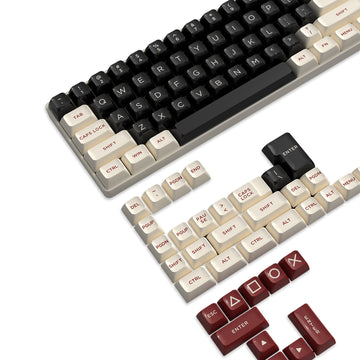
If the mouse or keyboard is going right back into a clean, dry drawer or desk space, that is usually enough. There is no need to seal it in a container for a short break; sealing adds a step without adding protection when the device is already dry and indoors. For an 87-key board specifically, we offer the 87-key keyboard cover, an acrylic cover built to keep dust and incidental spills off the keys between sessions; it is a physical barrier for the outside of the board, not a seal against internal moisture.
Long-Term or Seasonal Storage
- Only start the closed-container and silica-gel method once the device is powered off and fully dry. A damp peripheral does not get safer by sealing it in.
- When you reopen or reseal the container, check the desiccant and the seal again rather than assuming the setup is still working the same way it was on day one.
- If you see moisture, condensation, or you are unsure whether the peripheral dried out completely, stop and follow the manufacturer's guidance before enclosing it.
That last point matters more than the container you pick. A sealed box around a wet device holds moisture against it instead of protecting it.
How Humidity Leads to Corrosion Inside a Mouse or Keyboard
Humid air and condensation create two distinct risks, and knowing how to prevent corrosion on keyboard and mouse hardware requires separating storage from cleaning. Storage habits reduce moisture exposure over time, while cleaning habits remove sweat and residue that build up during use.
Internal Assemblies and Contacts
Electronic assemblies, including the circuit boards, switches, and contacts inside a mouse or keyboard, are vulnerable to environmental degradation when moisture and contamination reach them. This is not a single failure point at a specific humidity number; it is a gradual exposure problem that gets worse the longer moisture sits against exposed metal or circuitry. That is the risk that storage choices, not cleaning, are meant to address.
External Surfaces and Condensation
Sweat, oils, and skin residue collect on the surfaces you actually touch: keycaps, mouse shells, and buttons. That is separate from moisture reaching internal gaps, seams, or vents. Condensation adds a third path: when a cold device moves into warmer, humid air, water can form on and inside it as the surface temperature drops below the surrounding air's dew point. That is why a peripheral brought in from a cold garage or car should not go straight into a sealed container.
How to Use Silica Gel and a Storage Container
Silica gel helps reduce water vapor inside a closed setup, but it only works as part of a complete system: the right container, a dry device, and periodic checking. Treat it as a supporting tool, not a guarantee.
Choose the Container
- Pick a clean container that closes consistently, with an intact seal or lid rather than a loose-fitting lid.
- Make sure it is large enough that the mouse or keyboard is not crushed or rubbing against the sides.
- Do not assume a generic storage box or accessory cover performs like an airtight, corrosion-rated enclosure; most are not rated for that, and product listings that do not state it should not be treated as if they do.
The device itself has to be dry before any of this matters. Closing a good container around a damp peripheral does not fix the moisture; it just traps it.
Place and Inspect Silica Gel
- Set the silica gel packets beside the mouse and keyboard, leaving room for airflow, rather than pressing them directly against delicate surfaces.
- Follow the packet maker's instructions for replacing or regenerating the desiccant; that is the controlling source for how long a given packet stays effective.
- Inspect the packet and the container seal each time you reopen or reseal the setup, since repeated opening changes how much moisture the desiccant has to handle going forward.
No universal humidity level, packet count, or storage duration is established here. What is established is the sequence: dry device, suitable container, packets placed with airflow room, and a check each time the container is opened.
Clean Sweat and Residue Without Wetting the Electronics
External cleaning removes sweat, oil, and residue from surfaces you touch, but it does not reach or protect anything inside the device. Keep the two tasks separate in your head: cleaning is for the outside, storage habits are for reducing internal moisture exposure.
Wipe External Residue
- Follow electronics cleaning protocols by disconnecting the peripheral and removing batteries where applicable before you start.
- Wipe sweat and oil from the accessible surfaces with a cloth that is barely damp, not dripping.
- Never spray liquid directly onto the mouse or keyboard; moisture entering the inside of the device can cause damage the outside wipe was supposed to prevent.
For a closer look at mouse-specific cleaning methods, including how UV-C compares to chemical wipes, our guide on cleaning gaming mice walks through both options in more depth.
Respect Finish and Drying Limits
Keep moisture away from seams, key gaps, sensor openings, and connectors while you wipe; those are the entry points where a quick cleaning routine can turn into an internal moisture problem. Coated, rubberized, or acrylic finishes sometimes need specific care instructions from the manufacturer, so check the device's documentation before using any cleaner beyond a plain damp cloth. Whatever method you use, let the surfaces air-dry completely before reconnecting power or sealing the device away.
What Conformal Coating Can and Cannot Establish
Conformal coating can genuinely help protect an electronic assembly from humidity, but it is a controlled manufacturing process, not a maintenance step you do at home. Understanding what it can establish, and what it cannot, keeps you from turning a legitimate technical fact into a DIY project.
What the Coating Claim Means
A conformal coating is a thin, nonconductive layer applied to a circuit board through spraying, brushing, dipping, or vacuum deposition, then cured to form a uniform barrier. Its purpose is to provide electrical insulation and environmental protection, reducing performance degradation from humidity, handling, and contamination on that specific assembly. That claim applies to the coated circuit board itself, not automatically to every gaming peripheral on the market.
When to Defer
- Do not spray or brush a generic conformal coating onto an already-assembled mouse or keyboard; it is not designed as a consumer retrofit.
- Material compatibility and keep-out requirements are assembly-specific: the coating has to be stable with moisture exposure, noncorrosive to that particular board, and applied while avoiding areas defined as off-limits in the manufacturing documentation.
- If you want to know whether a specific peripheral has a factory-applied coating or documented water resistance, check that product's exact manufacturer documentation or contact its support team; an external cover or dust guard does not establish internal protection on its own.
FAQs
Can I seal a damp keyboard or mouse with silica gel and let the packet dry it out?
No. Silica gel is a moisture-buffering aid for an already dry setup, not a rescue treatment for a wet or condensation-covered peripheral. If the device is damp, keep it powered off and unsealed in a dry room until every surface is visibly dry, then follow the manufacturer's guidance before storing it in a closed container.
Does an acrylic keyboard cover protect internal electronics from humidity?
No. An acrylic cover serves as a physical barrier against dust and incidental external spills, but it is not an airtight or moisture-proof enclosure. To reduce environmental moisture exposure during extended storage, place the clean, dry keyboard inside a sealed container with desiccant packets.
Can I apply conformal coating to a gaming mouse or keyboard myself?
No. Conformal coating requires specialized application standards, substrate compatibility testing, and strict keep-out areas to prevent switch or sensor failure. Generic DIY spraying or brushing on assembled peripherals can interfere with moving parts and electrical contacts.