


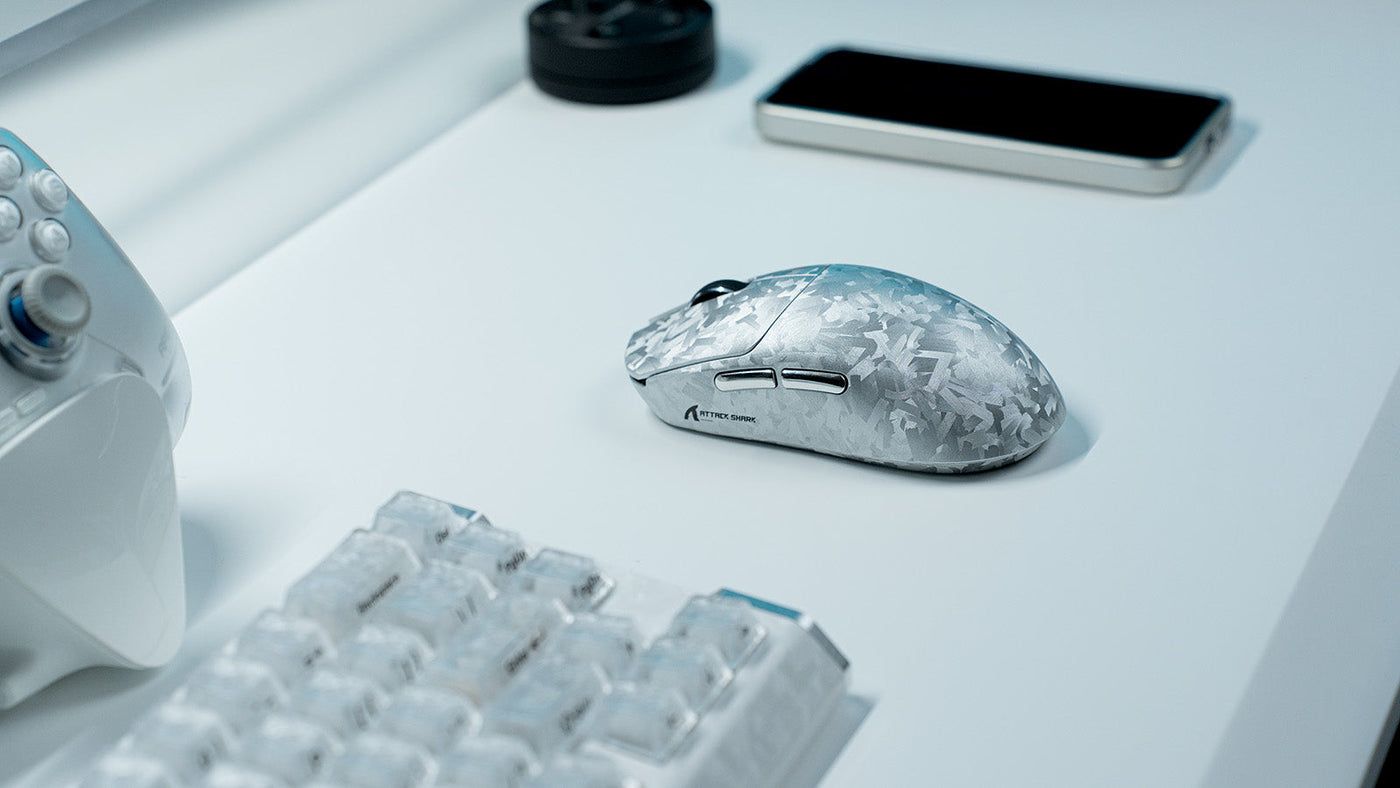
MOBA games like League of Legends and Dota 2 demand extreme precision, rapid decision-making, and high-frequency input. While individual skill is the most important factor in climbing the ranks, your hardware can either facilitate or hinder your performance. Selecting the right MOBA gaming peripherals allows players to execute complex combos and maintain map awareness without fighting their own equipment.
This guide outlines the optimal setup for competitive players, focusing on button efficiency, actuation speed, and ergonomic layout.

What Makes the Best MOBA Gaming Peripherals?
Unlike first-person shooters that prioritize raw tracking and low weight, MOBA games require a high volume of inputs. Players must manage four to six character abilities, multiple active items, and constant communication pings. Consequently, the ideal MOBA gaming peripherals setup focuses on accessibility and reliability.
The Need for High Input Density
In a typical team fight, a player might need to flash, cast an ultimate, use a Zhonya's Hourglass, and ping a target within a two-second window. High-quality MOBA gaming peripherals are designed to keep these actions within reach. This often means moving some of the load from the left hand (keyboard) to the right hand (mouse) to balance the physical demands of the game. Because MOBA players execute thousands of inputs per session, understanding ergonomic skill binding is essential for long-term comfort and performance.
Reliability and Switch Durability
Because MOBA players click thousands of times per match, switch durability is a primary concern. Optical switches have become a standard in high-end gear because they use light to register clicks, eliminating the mechanical wear and "double-click" issues common in older models. When your peripheral setup is durable, you can maintain a consistent level of play for years without worrying about hardware failure mid-match. Medical research on repetitive strain injury prevention confirms that high-frequency clicking without ergonomic support significantly increases the risk of upper limb RSI among competitive players.
Customization and Macro Capabilities
Software integration is another pillar of a great setup. The ability to rebind keys, adjust polling rates, and create game-specific profiles is essential. Whether you are adjusting the sensitivity for a specific hero or remapping item slots, the flexibility of your hardware plays a significant role in your comfort and success on the Rift or the Radiant forest.

Choose the Best MMO Mouse for Extra Macro Buttons
While many professional players use standard two-button mice, a growing number of enthusiasts find that the best mmo mouse offers a distinct advantage in complex games. These mice feature a grid of side buttons that can be mapped to item slots or specific camera locations, which is particularly useful in Dota 2 where item active-abilities are numerous. For a dedicated breakdown of how MMO mice perform in MOBA contexts, the best MMO mouse for MOBA guide covers the key considerations in detail.
The Grid Layout Advantage
The best mmo mouse typically features 6 to 12 buttons on the thumb side. In a MOBA context, mapping your 1 through 6 item slots to these buttons allows your left hand to focus exclusively on QWER ability casting. This separation of concerns can lead to fewer "fat-finger" mistakes, where a player accidentally hits an ability when they intended to use a potion or a ward.
Weight and Maneuverability
One common criticism of these mice is their weight. Because they contain more internal hardware for the extra buttons, they tend to be heavier than FPS-focused models. However, for MOBA players, a bit of extra weight can offer stability and prevent over-shooting during frantic team fights. When selecting the best mmo mouse, look for a balance between button count and a shape that fits your grip style — whether that is palm, claw, or fingertip.
Sensor Precision and DPI Scaling
Even with extra buttons, the sensor remains the heart of the device. High-end sensors provide "1-to-1" tracking, meaning the movement on your mousepad translates perfectly to the cursor on the screen. For League of Legends and Dota 2, a DPI range of 800 to 1600 is standard, as it provides enough speed to cross the screen quickly while maintaining enough precision to click on a single minion in a crowded lane. The MOBA mouse sensor logic behind rapid camera panning explains why this DPI range consistently outperforms higher settings in competitive play.
Optimize Your Mouse MMO Gaming Settings for League of Legends
Buying the hardware is only the first step; you must configure your mouse mmo gaming software to match your playstyle. In League of Legends, the speed at which you can "Attack Move" or "Target Champions Only" can be the difference between winning a duel and hitting a minion by mistake.
Mapping Attack Move and Target Selection
Most high-level players map "Attack Move Click" to one of their side mouse buttons. This allows you to alternate between moving and attacking by simply toggling between your thumb and index finger. If you are using a mouse mmo gaming setup with a side grid, you can also dedicate a button to "Target Champions Only," ensuring that your abilities land on the enemy hero rather than a nearby tower or neutral monster.
Sensitivity and Acceleration
It is highly recommended to disable "Enhance Pointer Precision" in Windows and any mouse acceleration in your driver software. You want your muscle memory to develop based on physical distance, not movement speed. By keeping your mouse mmo gaming settings consistent, you will eventually be able to move your cursor to any spot on the screen instinctively, which is vital for landing "skill shots" like a Lee Sin Q or a Lux binding.
Customizing Profiles for Different Roles
If you play multiple roles, such as Jungler and Support, your button needs may change. A Jungler might need a dedicated button for "Smite," while a Support might want easy access to "Locket of the Iron Solari" and "Redemption." Modern gaming software allows you to link these profiles to the game executable, so your settings swap automatically as soon as the match begins.
Switch to a Rapid Trigger Keyboard for Faster Kiting
The evolution of keyboard technology has introduced the rapid trigger keyboard, a device that uses magnetic sensors (Hall Effect) instead of traditional mechanical contacts. This technology is becoming a favorite among MOBA players who need to "stutter-step" or kite enemies with high precision. RTINGS.com's technical overview of Hall Effect switch technology explains how magnetic sensors eliminate the fixed reset point that limits traditional mechanical keyboards.
How Rapid Trigger Improves Reaction Time
Traditional mechanical switches have a fixed reset point. After pressing a key, you must let it rise back past a certain height before you can press it again. A rapid trigger keyboard eliminates this requirement. The key resets the instant it moves upward, even by a fraction of a millimeter. This allows for near-instantaneous repeated inputs, which is essential for high-APM (Actions Per Minute) sequences in intense combat. For a full technical explanation, the rapid trigger keyboard technology guide covers every aspect of how this system works.
Adjusting Actuation Points
Another benefit of these keyboards is the ability to customize how deep you have to press the key for it to register. You can set your QWER keys to a very shallow actuation (e.g., 0.5mm) for hair-trigger ability casts. Conversely, you can set your "Flash" or "Ultimate" key to a deeper actuation (e.g., 2.0mm) to prevent accidental casts. This level of granular control is why the rapid trigger keyboard is quickly becoming a staple in professional setups.
Durability and Smoothness
Because Hall Effect switches do not rely on physical metal leaves touching each other, they are incredibly smooth and long-lasting. They do not suffer from the "scratchy" feeling that some mechanical keyboards develop over time. When used as part of your MOBA gaming peripherals, these keyboards provide a consistent tactile experience that helps maintain your rhythm during long sessions of ranked play. Physical therapists also note that smoother, lower-force switches reduce cumulative strain — a key concern highlighted in research on gamer wrist health and long-term hand injury prevention.
Set Up an MMO Keyboard for Dota 2 Invoker Macros
Dota 2 is famous for its complexity, particularly heroes like Invoker who can access ten different spells by combining "quas," "wex," and "exort" orbs. An mmo keyboard with dedicated macro keys or a "G-key" column can help manage these complex inputs and secondary unit controls.
Simplifying Complex Key Combos
While using automated scripts is often against the rules in professional play, having an mmo keyboard allows you to remap difficult-to-reach keys to a dedicated macro row on the left side of the board. This is particularly useful for "Micro-management" heroes like Meepo or Chen. You can map "Select All Other Units" or "Select Courier" to these extra keys, keeping your primary fingers on your ability keys at all times.
Mechanical vs. Membrane MMO Boards
When choosing an mmo keyboard, you should generally favor mechanical or optical options over membrane versions. Mechanical switches provide the tactile feedback necessary to know exactly when a spell has been "invoked." The distinct "click" or "bump" helps your brain register the action, which reduces the mental load of tracking your cooldowns and orb combinations during a chaotic fight.
Using Software for Advanced Layering
Advanced mmo keyboard software often includes a "Shift" or "Hypershift" function. This allows you to hold down one button to change the function of every other key on the board. For Dota 2 players, this can effectively double your available hotkeys, allowing you to have one layer for hero abilities and another for controlling summoned units or checking enemy items.
Position Your Monitor and Peripherals for Better Map Awareness
The physical layout of your MOBA gaming peripherals significantly impacts your map awareness. If your monitor is too close or your keyboard is at an awkward angle, you may struggle to see the minimap or experience neck strain during long gaming marathons.
Monitor Height and Eye Level
Your monitor should be positioned so that your eyes are level with the top third of the screen. This allows you to scan the entire battlefield and the minimap with minimal head movement. In MOBA games, the minimap (usually in the bottom corner) is your most important source of information. If you have to physically turn your head to see it, you are losing valuable time that could be spent reacting to a gank.
Keyboard Tilt and Mouse Space
Many professional players tilt their keyboard at a 45-degree angle. This "Korean tilt" provides more room for the mousepad, preventing your MOBA gaming peripherals from colliding during wide mouse movements. It also places your wrist in a more natural position for reaching the numbers and function keys, which is vital for active item usage.
Cable Management and Desk Surface
A cluttered desk leads to restricted movement. Use a mouse bungee to prevent your cable from snagging on the edge of the desk or your monitor stand. Ensuring that your mouse has a clear, unobstructed path is crucial for landing precise skill shots. By treating your desk as a professional workspace, you create an environment where you can focus entirely on the game.
Conclusion: Master the Rift with the Right Setup
Building the ultimate peripheral setup for League of Legends or Dota 2 is about balancing speed, utility, and comfort. Whether you choose the best mmo mouse for its button density or a rapid trigger keyboard for its unparalleled actuation speed, the goal is to remove the friction between your intent and the game's execution. By optimizing your hardware and settings, you can focus on mastering your macro-strategy and mechanical outplays, ensuring that your equipment is always an asset rather than a limitation.
FAQs
Is an MMO mouse better than a standard mouse for League of Legends?
Yes, for many players, it is better because it allows you to map item actives and camera controls to your thumb. This frees up your keyboard hand to focus purely on ability timing and movement. While some pros prefer a simpler mouse, the utility of a side grid is objectively higher for managing the many active items found in modern MOBA builds.
What is the advantage of a rapid trigger keyboard in MOBA games?
The primary advantage is the "instant reset" feature. In a rapid trigger keyboard, the key resets the moment you begin to lift your finger. This allows for faster repeated presses, which is critical for kiting (moving between attacks) and reacting to enemy spells with "blink" or "dash" abilities as quickly as possible.
Can I use an MMO keyboard for Dota 2 macros?
Yes, you can use the extra keys on an mmo keyboard to map complex unit controls or courier commands. However, you should check tournament rules regarding "one-button macros" that execute multiple spells automatically, as these are often banned. Using the keys for simple remapping to make the game more ergonomic is completely legal and encouraged.
Does a MOBA gaming setup require high DPI?
No, most professional MOBA players use a relatively low DPI, usually between 800 and 1600. While high DPI sounds impressive, it often makes the cursor too sensitive to control accurately in high-pressure situations. A moderate DPI combined with a high-quality sensor provides the best balance of speed and precision.
Why do some MOBA players tilt their keyboards?
Players tilt their keyboards to create more desk space for their mouse and to achieve a more ergonomic angle for their wrist and arm. By tilting the board, the left hand can reach more keys comfortably without the arm being blocked by the body or the mousepad, which is essential for long-term health and performance.