


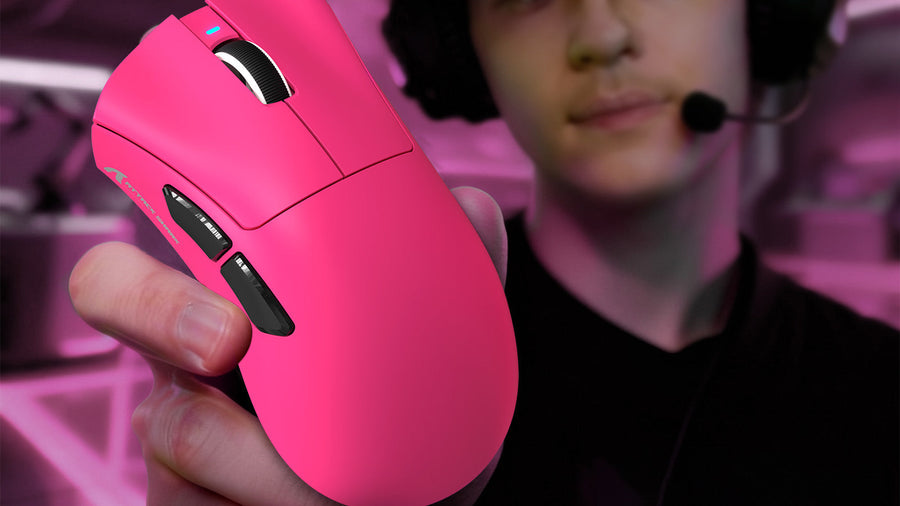
Despite the rapid advancement of wireless technology, many competitive players still prefer a wired gaming mouse in 2026 for its uninterrupted connection and lack of battery requirements. However, using a tethered device introduces physical friction that can disrupt precise aiming.
This article explores whether dedicated suspension accessories remain necessary today and provides actionable solutions for effective mouse drag cable management to optimize your desk setup and gameplay performance.

Why Do People Still Use a Wired Gaming Mouse in 2026?
Even with modern technological leaps in peripheral hardware, a wired gaming mouse remains a staple on the desks of many esports professionals and casual players alike. The primary reason is absolute hardware reliability.
Zero Signal Interference And High Polling Rates
A direct physical connection to the computer motherboard guarantees that signal interference from nearby routers, smartphones, or Bluetooth audio devices cannot disrupt the tracking input. In dense apartment buildings with dozens of overlapping Wi-Fi signals, wireless devices can occasionally experience micro-stutters. USB 3.0 interference can also affect nearby 2.4 GHz wireless devices, according to the USB 3.0 radio frequency interference guidance. Furthermore, modern equipment now supports 8000Hz polling rates. Transmitting this massive amount of data accurately every millisecond demands the high bandwidth stability that only a physical cord provides.
Complete Elimination Of Battery Management
Another significant factor keeping a wired gaming mouse relevant is the complete elimination of internal batteries. A tethered device never requires a charging routine, meaning you never have to interrupt a long competitive match because your equipment lost power. The absence of an internal lithium-ion battery also drastically reduces the overall physical weight of the chassis. It also lowers the manufacturing cost, making top-tier optical sensors and premium switches far more accessible to budget-conscious gamers.
Compare Wired or Wireless Mouse for Gaming Setups
When players evaluate a wired or wireless mouse for gaming, they must weigh the benefits of absolute movement freedom against the benefits of physical reliability and lower latency.
The Advantages Of Wireless Hardware
Wireless devices offer total freedom of physical movement across the desk. Players utilizing low in-game sensitivity settings can swipe across their entire large desk pad without worrying about a cord catching on a keyboard or monitor stand. This unhindered movement is highly beneficial for first-person shooters. However, these devices are significantly more expensive, contain heavier internal components, and require strict adherence to charging routines.
The Advantages Of Wired Hardware
Wired devices offer a lighter physical profile, zero latency risks, and a lower price point. The main drawback is the physical presence of the cord itself. If the cord is thick, rigid, or poorly routed across the desk surface, it creates noticeable friction against the mousepad. Therefore, deciding between a wired or wireless mouse for gaming usually comes down to how much available desk space you have and your willingness to route and manage cables correctly to prevent physical dragging.

What Is a Mouse Bungee and Does It Actually Work?
A mouse bungee is a specialized desktop accessory designed to hold the peripheral's cable elevated directly above the desk surface. It typically features a heavy, weighted base with non-slip rubber feet and a flexible, spring-loaded arm that clamps securely onto the wire.
How The Hardware Functions
When you move the device across your mousepad, the flexible metal or silicone arm bends to accommodate the directional movement. The primary purpose of this suspension is to prevent the cable from touching the desk pad, thereby stopping it from snagging on the edge of the desk or rubbing against the fabric of the mat.
Does The Accessory Actually Work?
Yes, it mathematically reduces physical friction. By elevating the cord into the air, the bungee completely eliminates the physical weight of the wire pulling down on the front edge of the device. This creates a physical sensation that very closely mimics a true wireless experience. For players who use low sensitivity and make large, rapid arm sweeps, a bungee successfully prevents the heavy cord from whipping back and disrupting their crosshair placement during intense gameplay moments.
Manage Mouse Drag Cable Management Effectively
If you choose not to purchase a dedicated suspension accessory, you must implement alternative methods to handle the cord on your desk. Proper mouse drag cable management ensures that the wire does not ruin your aiming consistency.
Route The Cable Slack Appropriately
The most critical step in mouse drag cable management is leaving the exact correct amount of slack on the desk. To measure this, place your device in the exact center of your mousepad. Pull the device to the furthest top, bottom, left, and right corners of the pad. Ensure the cable reaches these extreme edges without pulling tightly against the connection point. However, do not leave excess wire coiled loosely on the desk. Excess wire will bundle up and physically push against the front of the device during vertical upward movements.
Secure The Base Point
Once you determine the correct amount of slack, you must secure the cable at the back edge of the desk. Use a heavy object, such as a monitor stand base, an audio speaker, or a heavy book, to pin the cord firmly down. This specific technique of mouse drag cable management prevents the heavy portion of the cable hanging off the back of the desk from pulling the device backward when you let go of the shell.
Discover the Best Gaming Mouse Bungee Alternative
Purchasing a dedicated accessory is not always necessary or budget-friendly. There are several highly effective ways to create a gaming mouse bungee alternative using basic household items or minor desk modifications to achieve the exact same suspension effect.
The Monitor Tape Method
The most common and effective gaming mouse bungee alternative involves using a simple piece of masking tape. First, pull the necessary amount of cable slack for your mousepad size. Then, tape the wire securely to the bottom plastic bezel or the back vertical stand of your computer monitor. This method elevates the cord off the desk pad identically to a commercial bungee without taking up any additional physical desk space or costing any money.
Adhesive Cable Clips
If you prefer a cleaner aesthetic than masking tape, small adhesive cable clips are an excellent option. You can attach a plastic cable clip to the back edge of your desk or the side of your monitor arm. Pushing the wire into the clip secures it in place, preventing the cable from falling behind the desk while maintaining the exact amount of slack required for uninterrupted gameplay.
Choose the Best Wired Computer Mouse for Your Setup
Finding the best wired computer mouse in 2026 requires looking far beyond just the optical sensor specifications. The physical construction of the attached cord is the most critical feature to evaluate before making a purchase.
Evaluate The Stock Cable Construction
The best wired computer mouse will come equipped with a factory-installed paracord-style cable. Hardware manufacturers now design ultra-flexible, lightweight cables that do not retain rigid kinks from the factory packaging. You must avoid older models equipped with stiff rubber or tightly woven nylon braided cables, as these rigid materials create severe friction against the mousepad and require extensive cable management to use comfortably. A soft paracord naturally falls out of the way of the device.
Combine With High-Quality Skates
To maximize the smooth feel of a flexible cable, ensure the device features 100% pure PTFE (Teflon) skates on the bottom shell. The combination of an ultra-flexible stock cable, a lightweight shell under 60 grams, and smooth PTFE feet eliminates almost all physical resistance. This specific combination guarantees that your physical arm movements translate instantly to the screen without any hardware limitations dragging you down.
Conclusion: Wired Mice Still Win With Proper Cable Control
While wireless technology is highly prevalent, tethered devices remain highly relevant in 2026 due to their zero latency, low weight, and lack of batteries. Utilizing a dedicated suspension device or implementing effective mouse drag cable management eliminates physical friction, allowing tethered models to perform perfectly. By choosing equipment with flexible paracords and routing the slack correctly, you can achieve a flawless competitive experience without the cord interfering with your aim.
FAQs
Is a wired or wireless mouse for gaming better for competitive esports?
Both options are highly viable for competitive esports. Choosing a wired or wireless mouse for gaming depends entirely on your budget and desk setup. Wireless offers total movement freedom, while wired guarantees zero signal interference, higher polling rate stability, and requires no battery charging routines.
What makes the best wired computer mouse?
The best wired computer mouse features a flawless optical sensor, a lightweight shell weighing under 65 grams, and an ultra-flexible paracord cable. The soft, flexible cable ensures minimal physical friction against the desk pad, which is essential for accurate tracking and flick shots.
What is the cheapest gaming mouse bungee alternative?
The easiest gaming mouse bungee alternative is the monitor tape method. Simply measure the exact amount of slack needed to reach the edges of your mousepad, and tape the cord to the bottom bezel of your monitor to elevate the cord for free.