




Choosing a white mechanical keyboard well means judging the keycap material, the case material and finish, and the exact maintenance guidance separately, because the white colorway itself proves none of them. If you're picky about long-term appearance, especially on a bright desk, shortlist by documented material and UV or color-retention specifics. If you can accept normal upkeep and some undocumented fields, choose primarily by feel and layout instead.
Key Takeaways
- Keycap material and case material are separate specifications. Check both instead of judging the whole keyboard by its colorway.
- No product evidence supports a guaranteed never-yellow or never-wear outcome for any white keyboard, regardless of brand.
- UV exposure can degrade plastics over time; only a named polymer, stabilizer, or test scope turns a fade-resistant claim into something you can verify.
- Match cleaning expectations to the documented surface and the manufacturer's exact care guidance, and keep liquids away from the electronics.
- RGB and desk lighting change how a white keyboard looks right now, not how well the plastic resists long-term discoloration.
Start With the Trade-Off: What Must Stay White?
Your first decision splits keycaps from the case, and both need separate proof before you decide the keyboard will stay clean-looking over time. A keycap listing that names PBT plastic tells you about the surface your fingers touch, not about the case, the coating, or how the whole unit will look after a year of daily use.
If you place your keyboard where it gets direct or recurring sunlight, or you type on it constantly, missing case and finish details matter more, so treat sunlight and heavy handling as reasons to keep comparing rather than risks the white color already solves. Every keyboard finish remains subject to normal wear, finger oils, and environmental exposure over time. Start by checking three fields on any product page: the keycap material, the case material and finish, and any care or color-retention documentation. A missing field isn't automatically a bad sign, but it leaves that part of your appearance decision unresolved until another listing answers it.
Keycap Materials: PBT, ABS, and the Surface You Touch
PBT and ABS are the two plastics you'll see most often on white keycap listings, and the acronym alone tells you less than the surrounding details. Compare molding method, texture, and the exact wear or care claims before assuming one material behaves better on your desk.
Compare the Fields, Not Just the Acronyms
Knowing a keycap is PBT or ABS doesn't tell you how it will feel, whether it will develop shine, or how it responds to cleaning. Those outcomes depend on the specific molding process, surface texture, and legend method a maker uses. Look for double-shot injection molding, which sets the legend inside the plastic rather than printing it on top, plus a stated surface finish such as matte or smooth. A named profile shape, such as Cherry profile, affects typing feel and is worth comparing alongside layout compatibility, since a mismatched profile can feel off even when the material and color are exactly what you wanted.
What a Product Listing Can and Cannot Prove
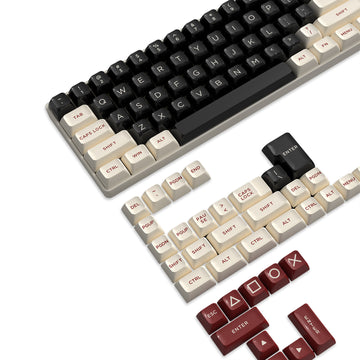
Wear-resistant, oil-resistant, fade-resistant, and easy-to-clean are manufacturer claims, not independent lab results, so treat them as a starting signal rather than a settled fact. Our ATTACK SHARK PBT keycap set listing documents double-shot injection-molded PBT, a matte texture, and compatibility with MX-structure switches across 61 to 104-key layouts, along with manufacturer statements about wear, oil, and fade resistance. Those specifics describe that one keycap set. They don't establish that every PBT keycap set, from any brand, will perform the same way on your desk.
Case Materials and Finish: Evaluate the Largest Visible Surface
A keycap material name says nothing about the case underneath it, so check the case listing separately before assuming the whole unit shares the same properties. Case descriptions vary widely: some name a specific plastic resin, others mention aluminum or a painted or coated finish, and some skip the substrate entirely and describe only color and shape.

Ask whether the page names the actual material, such as ABS, polycarbonate, or aluminum, and the surface treatment, such as smooth, textured, coated, or painted. That combination affects how fingerprints, dust, and minor scuffs show up over time, not the color alone. A smooth glossy case tends to show fingerprints and light scratches more visibly than a textured or matte one, while a coated or painted surface can wear faster at contact points such as the edges near your palms. Durability depends on the exact substrate and coating rather than the keyboard colorway alone. When a listing omits the case material or finish, treat that field as unresolved: compare another listing, or accept the added appearance risk if you decide to buy anyway.
Material and Finish Trade-Offs at a Glance
The table below lines up what each documented field actually tells you and where the evidence stops, so you can scan the trade-offs without rereading every section.
| Field to compare | What it helps you decide | Boundary or trade-off |
|---|---|---|
| Keycap material & molding | Feel, legend clarity, base wear resistance | Acronym alone doesn't prove long-term shine or fade behavior |
| Case substrate | How the largest surface will age and mark | Often undocumented; missing means unresolved appearance risk |
| Surface finish | Fingerprint and scuff visibility | Smooth shows marks more than matte or textured |
| UV / color-retention wording | Whether a fade claim is testable | Valid only with a named polymer, stabilizer, or test scope |
| Care guidance | What cleaning methods are safe | No guidance means no safe method is confirmed |
| Layout & compatibility | Whether the board fits your switches and keycaps | Separate from appearance; doesn't affect durability |
Use this as a screening pass, not a final verdict. A keyboard that documents four or five of these fields is easier to evaluate than one that documents only the keycap material, even if both use PBT plastic.
UV Stability and Color Retention: Read the Claim's Scope
UV exposure is a real mechanism that can affect plastics over time, and light stabilizers are additives meant to slow that process, but neither fact proves any specific keyboard is fade-proof. A product claim needs its own scope and documentation before you can rely on it.
General UV Evidence Is Not a Keyboard Guarantee
Sunlight and some artificial light can break down chemical bonds in plastic through a process called photodegradation, and light stabilizers are additives designed to slow that breakdown by absorbing or blocking UV energy before it damages the polymer chain. That's a general principle about polymers, not a statement about any particular keyboard or keycap set. A product that never mentions its polymer formulation, stabilizer type, or test conditions hasn't shown that this general mechanism was even addressed, so don't read a white colorway or a vague durable label as proof that the plastic resists UV damage.
What to Look for in a Product-Specific Claim
If a listing claims UV stability or color retention, look for these four details before trusting it:\n
- The named polymer or formulation used in the keycaps or case.
- A stated UV treatment or stabilizer, not just the word durable.
- The exposure conditions and time frame the claim actually covers.
- Whether the claim is manufacturer-stated marketing language or the result of independent testing.
Maintenance Trade-Offs: Upkeep Without Surface Damage
How much upkeep you should expect depends on the documented surface, not the color, and any cleaning method needs to match what the manufacturer actually allows. Confirm both before you touch a cloth or cleaner to the keys.
Match Upkeep to the Documented Surface
A matte or textured keycap surface generally shows fingerprints and oils less than a glossy one, and a manufacturer's stated oil-resistant or easy-clean claim can be a useful signal when it names the exact surface treatment. Treat that claim as attributable to the specific listing, not to matte or PBT surfaces in general. If frequent fingerprints or shine bother you, weigh the documented texture and care claims against how often you're willing to wipe the keyboard down, since no surface removes upkeep entirely.
Protect the Electronics Before Any Cleaning
Before wiping down any white keyboard, work through these steps in order:
- Check the exact manufacturer manual or care page for your model before choosing a cleaning method.
- Use only a method the documentation confirms is compatible with your case and keycap finish.
- Keep liquids away from the switches and internal electronics, and stop if the manufacturer guidance doesn't cover your situation.
Lighting and Aesthetic Longevity: Presentation Is Not Protection
Where you place your keyboard affects how much its appearance matters more than the lighting you choose to pair with it. A desk in direct or recurring sunlight raises the stakes for the documented UV and color-retention details covered above, since general UV exposure can affect plastics over time regardless of how the keyboard is lit.
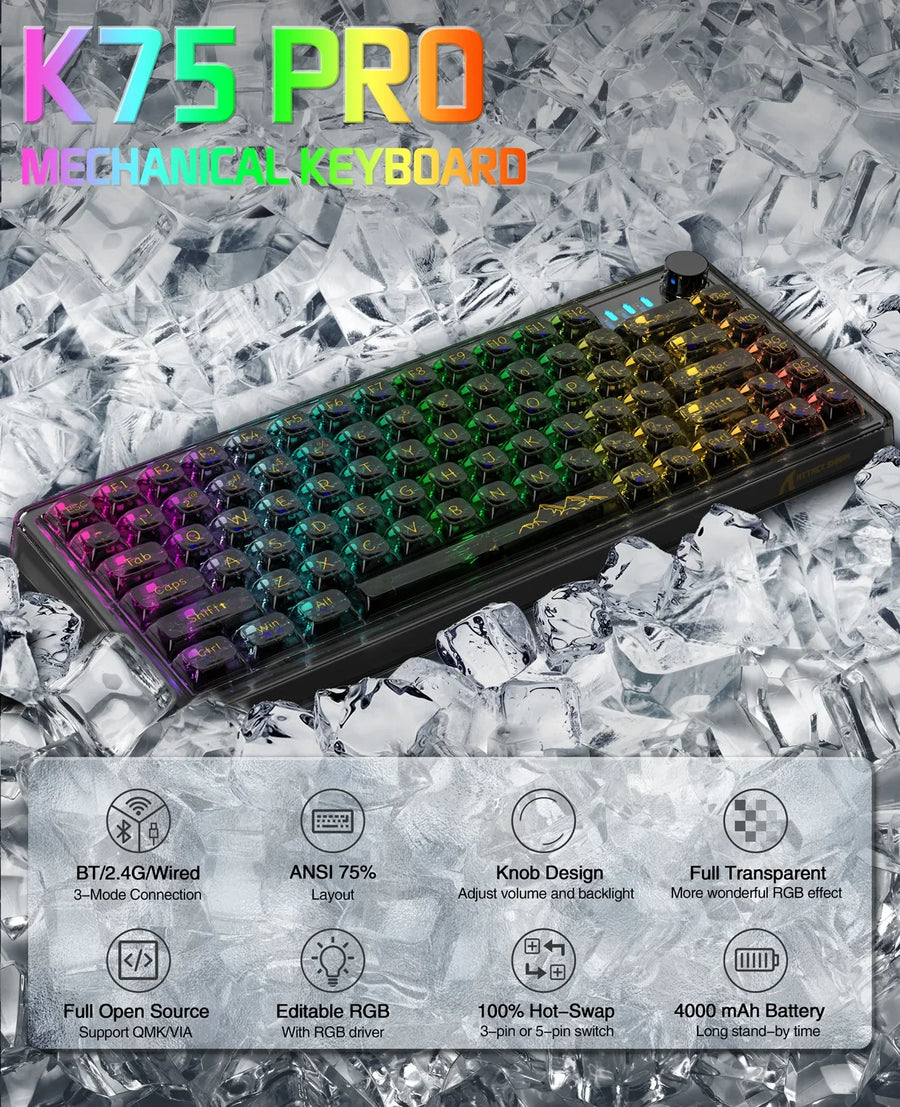
RGB backlighting and ambient desk lighting change how the white finish looks right now, shifting perceived brightness or adding color accents, but no evidence shows that lighting slows or prevents plastic photodegradation or yellowing. Treat lighting choices as a visual coordination decision, separate from the material question. Pick a color temperature and brightness that suit your setup, and judge the finish and texture under that same lighting before you buy, since fingerprints, matte texture, and subtle discoloration can look different under warm, cool, or colorful light than they do in a product photo.
Final Product-Page Verification Before You Buy
Before adding a white mechanical keyboard to your cart, run through one compact pass across the fields covered above.
- Keycap construction: confirm the exact material, molding method, and surface texture.
- Case substrate: identify the actual case material, not just its color.
- Surface finish: note whether it's smooth, textured, coated, or painted.
- UV or color-retention claim scope: check whether any fade-resistant claim names a polymer, stabilizer, or test, or is an unscoped marketing term.
- Care guidance: confirm the manufacturer's cleaning instructions and any electronics precautions.
- Layout and compatibility: match the layout size, switch structure, and keycap profile to your build.
- Lighting and unresolved gaps: note whether RGB or backlighting is documented, and flag any missing field above as a reason to keep comparing rather than assume it's fine.
Our ATTACK SHARK X66 wireless keyboard listing is a useful example of how this pass works in practice: it documents PBT double-shot keycaps, RGB backlighting, a 66-key 60% ANSI layout, and hot-swappable support for 3-pin and 5-pin switches. That record doesn't document the case material's long-term color retention, stain resistance, or a specific cleaning method, so if permanent whiteness under bright light is your top priority, treat that as an open field to verify directly before you decide. When a shortlisted keyboard answers all seven fields to your satisfaction, you're ready to compare price and add it to your cart. When one field that matters to you is still missing, keep comparing instead of guessing.
FAQs
Does a PBT keycap specification mean the entire white keyboard will stay white?
No. PBT describes the keycap plastic only, not the keyboard's case material, surface finish, UV response, or cleaning limits. Those are separate specifications that a listing may or may not document clearly. Before assuming a white keyboard will stay low-maintenance or resist discoloration, check the case material and finish, the scope of any UV or color-retention claim, and the manufacturer's exact care guidance as separate fields from the keycap material alone.
Can RGB backlighting or desk lamps prevent white plastic from yellowing?
No. Lighting alters immediate visual presentation, contrast, and color perception, but it does not protect plastic components from environmental degradation. Long-term color stability depends on polymer composition, UV stabilizers, and light exposure, not active backlighting.
What should you check first if a product page omits cleaning instructions?
Check the manufacturer's official manual or support documentation before using any cleaning agent or damp cloth. If safe cleaning procedures remain unspecified, keep moisture away from switch sockets and internal electronics to prevent accidental damage.