


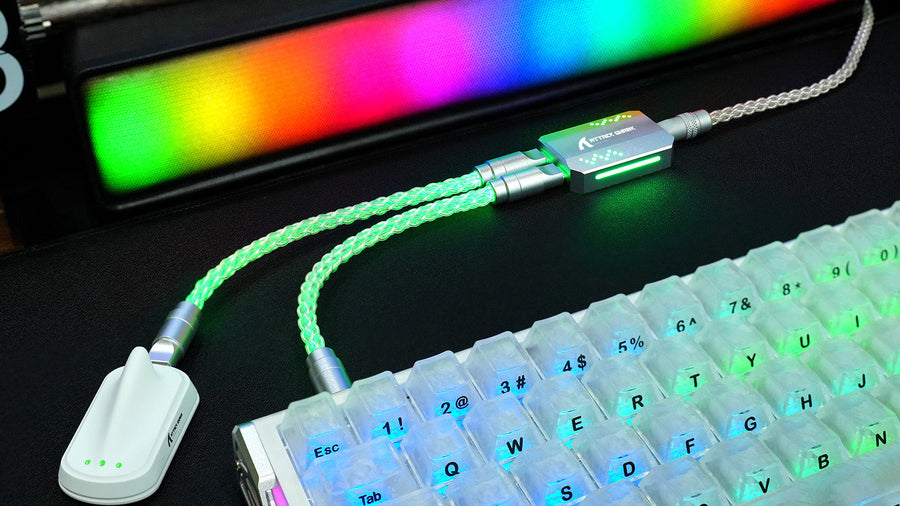
When optimizing your desk setup for maximum performance, you likely focus on your keyboard switches, keycaps, and polling rates. However, the connection between your device and PC is frequently overlooked. A low-quality or damaged USB cable can directly degrade your device's stability, lighting, and response times.
This article analyzes how cables affect signal transmission, explains common warning signs of failure, and helps you select a reliable cord for your daily gaming or typing needs.

Can A USB Cable Really Affect Keyboard Performance?
Many users assume that because keyboards transmit relatively small amounts of data compared to external hard drives or webcams, any standard USB cable will work. While it is true that typing inputs require minimal bandwidth, the cable's primary duty is not just data transfer—it must also supply stable electrical power to the keyboard's internal components.
Modern mechanical keyboards are complex electronic devices featuring microcontrollers, onboard memory, and often hundreds of individual RGB LEDs. A USB cable must deliver a steady 5V of power while simultaneously transmitting high-frequency data packets back to the computer. If the cable's internal copper wires are too thin, the electrical resistance increases, which can starve the keyboard's processor of vital power and disrupt operations.
As data travels along a copper wire, it is susceptible to electromagnetic interference (EMI) from surrounding devices like monitors, routers, and PC power supplies. If a cable lacks proper internal shielding, this interference can distort the digital signals. When trying to resolve mysterious bad USB cable keyboard issues, checking for electromagnetic signal degradation is often the first step, as poorly shielded cords can corrupt the keypress data packets before they ever reach your operating system.

What Problems Can A Bad Keyboard Cable Cause?
Cable failure does not always result in a completely dead peripheral. Often, a damaged or sub-par connection manifests as intermittent, frustrating glitches that can be difficult to diagnose if you are not familiar with the typical symptoms of a failing USB connection.
Random Disconnections during Active Use
The most common symptom of a failing cord is random disconnections. Your keyboard may turn off completely for a few seconds before reconnecting and playing the OS connection sound. These sudden drops are frequently caused by micro-fractures in the internal copper strands near the connector joints. Physical movement, desk vibrations, or adjusting your keyboard can temporarily break this fragile connection, leading to clear bad USB cable keyboard issues during intense typing sessions.
Key Chatter and Missed Inputs
When a cable cannot maintain a stable data flow, the keyboard's internal microcontroller may struggle to report inputs accurately. This can result in "key chatter," where a single keypress registers multiple times, or completely missed inputs where your keystrokes are ignored. When investigating coiled keyboard cable connection problems, these missing or repeating inputs are often traced back to unshielded data lines or copper fatigue.
RGB Flickering or Dimness
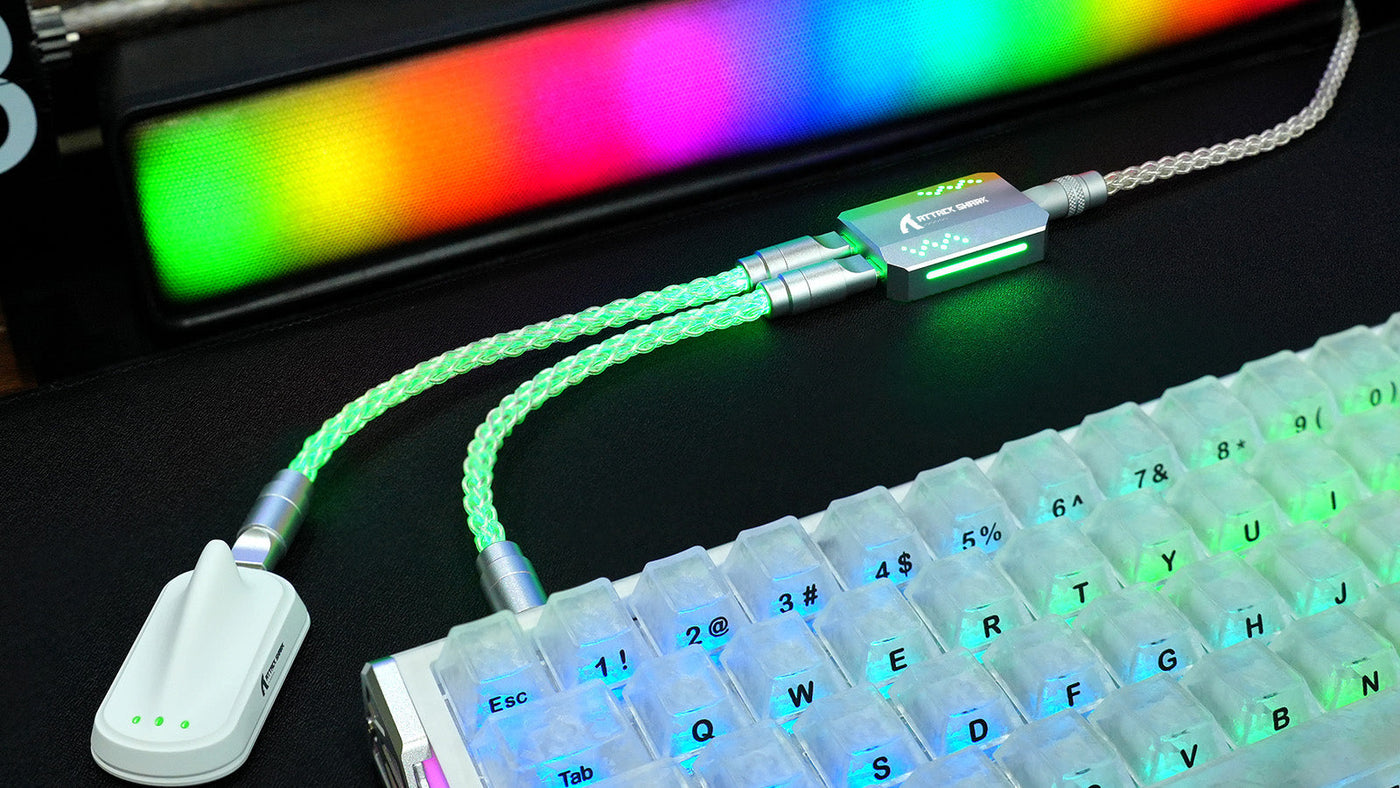
Custom mechanical keyboards with bright, multi-zone RGB lighting require substantial electrical current to run at full brightness. A low-quality cord with thin internal wires cannot deliver enough amperage, causing your LEDs to flicker or dim. In severe cases of bad USB cable keyboard issues, turning your RGB brightness to maximum can draw too much power, completely overloading the weak connection. This is why addressing coiled keyboard cable connection problems often involves verifying that your custom cable has thick enough power conductors to handle high-draw lighting setups.
Does A Coil Cable Add Keyboard Latency?
Coiled aviator cables are incredibly popular in the custom keyboard community due to their unique, industrial appearance. However, some competitive gamers worry that the physical loops and extra length of a coiled design might add input lag during fast-paced matches.
The Physical Length of Coiled Designs
A standard straight keyboard cable is typically 1.5 to 1.8 meters long. In contrast, a custom coil cable contains much more physical wire than its compact shape suggests. A 6-inch coil actually requires about 1.5 to 2 meters of straight wire before it is heated and wound into shape. When you add the straight lead-in and lead-out sections, the total copper length inside a custom coil cable can easily exceed 3 to 4 meters, raising questions about potential keyboard cable latency increases.
Signal Speed Through Copper
Electrical signals travel through copper wiring at approximately 70% to 80% of the speed of light. Even if your custom wire is 4 meters long, the physical travel time for the signal to reach your computer is measured in nanoseconds. Because human reaction times and computer polling rates are measured in milliseconds, the physical length of a coil cable has zero noticeable impact on your raw keyboard cable latency.
Resistance and Voltage Drop
While signal travel time is not an issue, electrical resistance is a very real factor. The longer a wire is, the more resistance it presents to the incoming 5V power supply. If your keyboard operates at a high polling rate, it requires highly stable power to process inputs without delay. If a long, poorly made cord causes a significant voltage drop, the keyboard's internal processor may lag or restart. Therefore, any real-world keyboard cable latency or input delay is almost always caused by power instability rather than signal travel distance.
How Do You Tell If The Cable Is The Problem?
Before spending money on a replacement mechanical keyboard, you should perform a few simple troubleshooting steps to isolate the issue. Pinpointing whether the glitch lies within your keyboard's PCB, your computer's USB port, or the cable itself will save you time and money.
Testing with Different USB Ports
Sometimes, the issue is not the cable itself, but a failing USB port on your PC. Motherboard ports can wear out or suffer from power supply fluctuations. Unplug your keyboard from its current slot and connect it to a direct USB port on the back of your motherboard (avoid using front panel ports or unpowered USB hubs). If the disconnections stop, your cable is likely fine.
Cross-Testing on Alternative Devices
To completely isolate the wire, try using it with a different device, such as a second keyboard or a mouse. If the second device also exhibits erratic behavior, you have found the culprit. Conversely, you should also connect your primary keyboard to your PC using a standard, certified straight cable. If the keyboard works flawlessly with the stock wire, your custom cable is failing.
Inspecting Physical Connectors
Unplug the cable and inspect both the USB-C and USB-A gold pins for dirt, debris, or oxidation. If you are using an aviator-style connector, unscrew the metal joint and check if the internal solder points are loose. A loose connector pin is a very common cause of coiled keyboard cable connection problems, and a simple clean with isopropyl alcohol can often restore the cable.
What Makes A Good Keyboard Cable?
If you need to purchase a replacement cord, it is important to understand what technical specifications to look for. Investing in a high-quality, well-insulated cable ensures a stable connection, vibrant RGB lighting, and years of reliable use without signal degradation.
High-Quality Shielding and Insulation
A premium cable must feature robust internal shielding to protect the copper data lines from electromagnetic interference. Look for cords that specify double shielding, which typically includes an aluminum foil wrap combined with a braided copper mesh. This advanced shielding maintains excellent coiled cable signal quality, ensuring that your keystroke data remains clean and uncorrupted, even in environments with multiple electronic devices running. The official USB Type-C cable shielding specification defines the minimum shielding effectiveness standards required for certified cables.
Adequate Wire Gauge (AWG)
USB cables contain four internal wires: two for data and two for power. The thickness of these wires is measured in American Wire Gauge (AWG). Cheaper cables often use thin 28 AWG wires. For stable operation, look for cables that feature 24 AWG or 22 AWG power wires (lower numbers indicate thicker wire). This thicker copper minimizes resistance and prevents voltage drops, preserving excellent coiled cable signal quality and providing consistent power.
Durable Connectors and Strain Relief
The points where the cable meets the metal connectors are the most vulnerable to physical wear and tear. High-quality cables utilize molded plastic housings, rubber strain relief boots, or durable metal aviator collars to prevent the internal wires from bending too sharply. Investing in a cable with strong strain relief ensures consistent coiled cable signal quality and protects your connection from the physical strain of daily desk adjustments.
Should You Use A Coiled Cable For Gaming?
For competitive gamers, equipment reliability is paramount. While coiled cables look spectacular on camera and complement custom keycap sets, players must weigh the aesthetic benefits against their specific performance requirements.
There is no denying that a custom coil cable adds a highly polished, clean look to any desk setup. Many gamers choose these cords because they can match the color scheme of their custom keycaps, desk mats, and PC cases. If you prioritize desk aesthetics and play at a standard 1000Hz polling rate, a well-made coiled cable will perform beautifully without compromising your competitive edge.
If you utilize an ultra-high-performance gaming keyboard that features a native 8000Hz polling rate or intense, multi-zone per-key RGB backlighting, you must be cautious. These high-speed keyboards draw substantially more power and are highly sensitive to voltage drops. If you use a long, coiled wire that has thin internal power lines, the high resistance can cause input dropouts. For these advanced setups, a shorter, high-quality, double-shielded straight cable is often recommended to ensure maximum electrical stability.
Conclusion: Cable Quality Directly Impacts Keyboard Reliability
A bad or poorly insulated USB cable can directly cause random disconnections, key chatter, and dim RGB lighting. While coiled cables offer an exceptional aesthetic appeal, their extended length requires high-quality copper and thick wire gauges to prevent voltage drops. By selecting a properly shielded, appropriately gauged cable, you can ensure a highly stable connection, consistent input processing, and a visually appealing desk setup for gaming and productivity.
FAQs
Can a USB cable cause keyboard input lag?
No, a functioning USB cable cannot cause noticeable input lag because electrical signals travel through copper near the speed of light. However, if a low-quality cable causes a significant voltage drop, the keyboard's internal microcontroller may experience power instability, leading to missed or stuttering inputs that feel like lag.
Why does my keyboard disconnect randomly?
Random disconnections are frequently caused by micro-fractures in the cable's internal copper wires or loose pins inside the USB connectors. When the keyboard is moved or the desk vibrates, the broken circuit temporarily cuts off both power and data, forcing the device to restart and reconnect.
Are coiled keyboard cables bad for gaming?
No, coiled cables are not bad for gaming, provided they are made of high-quality materials. However, because they are physically longer than straight cables, they can cause power instability if the internal wires are too thin. For standard 1000Hz gaming, a premium coiled cable is perfectly safe and reliable.
How long can a keyboard USB cable be?
Under standard USB 2.0 specifications, the maximum reliable length for a passive USB cable is 5 meters (approximately 16 feet). Beyond this length, the signal degrades and the voltage drops too low to power the keyboard's microcontrollers and RGB LEDs reliably without an active, powered USB hub.
Can a charge-only USB cable work with a keyboard?
No. Charge-only USB cables only contain the two internal wires required for power delivery, completely omitting the two wires required for data transmission. To make your keyboard work with your computer, you must use a fully wired USB cable that supports both power and data sync.